Hear every version
of the album.
GODMIX is a local listening room for mastering and sequencing an album. A/B every master and version in sync, hear every transition, and leave notes Claude can act on.
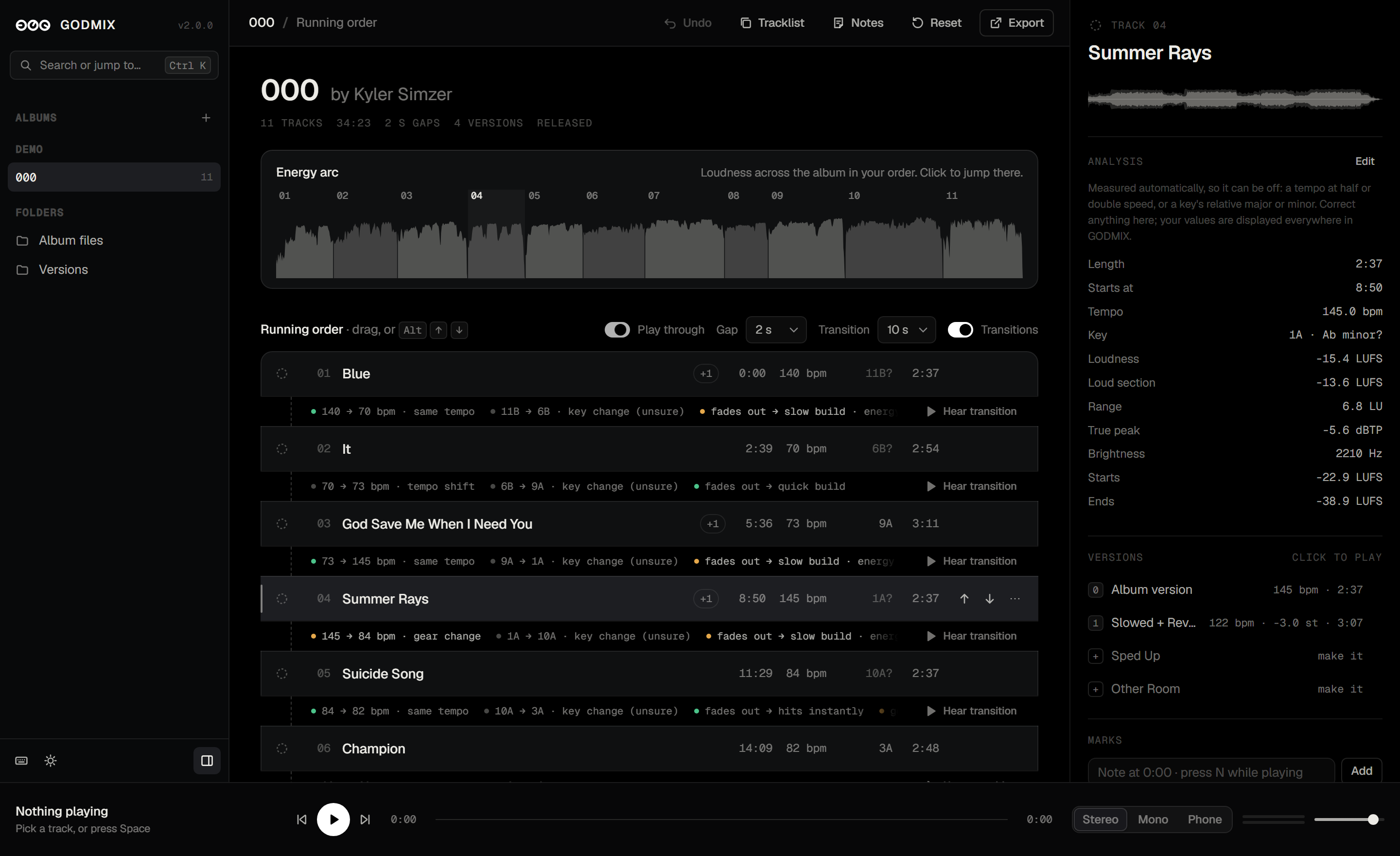
The player is real. Pick a song, press play, flip to the slowed version.
Honest A/B
Loudness-matched on one key, so a master never wins just by being louder.
Versions in sync
Slowed, sped up, other room. Switch mid-song and land on the same moment.
Made for running orders
Drag tracks, hear each seam, and see the album’s energy as one arc.
A/B like a
mastering room.
Two files play on one clock and switch in 12 ms, so you hear the difference, not a gap. Fold to mono, squeeze it through a phone speaker, or loop the one bar you’re unsure of.
0 is the album. 1–9 are its versions.
Tap a number and GODMIX lands on the same spot in the song, at the new speed. A plays the album, B the version.
Stereo, mono, phone
Hear what clubs, Bluetooth speakers and phones will do to the mix.
Loops that stay put
Drag across the waveform. The loop follows the song through every version.
Live peak meter
Output peaks per channel, in the bar, with headroom and clip colours.
Measured,
not guessed.
Every song is measured (on your device) as it comes in: tempo, key on the Camelot wheel, loudness, range and true peak. The numbers drive the transitions and the loudness matching. And because a measurement can be wrong, every one can be corrected by hand.
The album,
as one piece.
Drag songs into order and every seam is read for you: tempo, key and energy. Hear any transition with its real gap, or play the whole thing through.
Hear every seam
Plays the last seconds of one song, the gap, then the next song’s opening.
See the whole album
Every song’s loudness, end to end in your order. Click anywhere to jump there.
Move freely
Every move can be undone, and the order is saved as you go.
Notes that
Claude can read.
Press N while a song plays to pin a note to that moment. Mark songs as needing work or approved. Copy everything as Markdown, or let Claude read it straight from the saved state.
## 2. RA (needs work)

- 0:42: Hi-hats a little harsh after the drop
- 1:58: Vocal sits too far back in the slowed version
Needs work, approved
One key, S, cycles a song’s status. The album header counts what’s approved.
Everything is
a keystroke away.
Ctrl K finds any track, version, album, folder or command. Every button has a shortcut, and ? shows them all.
Ready to
release.
Export the songs in your running order as tagged files, or render the whole album as one file with your exact gaps and a cue sheet. Missing versions are one click away.
Titles, artwork, ISRCs
WAV, FLAC and MP3 with artist, album, track number, year, copyright, ISRC and the cover built in. The WAV and FLAC are bit-exact.
One file, start to finish
The running order joined with your gaps, sample-accurate, plus a cue sheet and a tracklist with start times. Works for any version too.
Make what’s missing
Songs without a slowed, sped-up or other-room version show it anyway. Click to design it from the song and render it.
Listen to
the changelog.
Each new thing in GODMIX 2.0 comes with the sound of it. Press play; it stops on its own.
Every album,
one switch.
Each card is drawn from the album itself: its loudness, start to finish, one arc per song. Released albums are read-only; versions are made from them, never over them.
Three steps
to the room.
Node.js runs the app. Python measures the albums and makes the masters and versions. Nothing leaves your machine.
git clone https://github.com/kylersimzer/godmix.git && cd godmix
python -m venv .venv && .venv\Scripts\activate && pip install -r requirements.txt
python app/build_data.py && npm start
Install
Node 20+, Python 3.12 and ffmpeg.
Measure the albums
The demo album, 000 by Kyler Simzer, comes with it. Add your own from the app.
Open the room
Or double-click GodMix.cmd on Windows.